How to Reduce Admin Work in Your Small Business
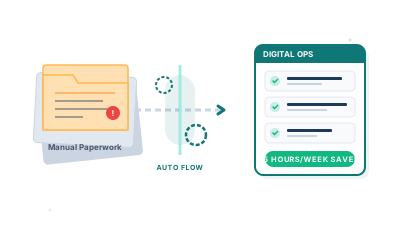
Running a small business means wearing every hat at once. You're the salesperson, the project manager, the accountant, and (if you're reading this on a Saturday) apparently the admin clerk too.
The problem isn't that admin is hard. It's that it never stops. Sending the same invoice reminder for the third time. Copying data from one spreadsheet into another. Chasing a client for information you asked for last week. Each task takes ten minutes. Together, they swallow your day.
The good news is that most admin work follows a pattern. And anything that follows a pattern can be automated.
Identify where your time actually goes
Before you automate anything, track what you're actually doing for a week. Not what you think you're doing. What you're actually doing. Most business owners are surprised by what they find.
A simple approach: at the end of each day, list every task that took longer than 15 minutes and mark whether it was billable or not. After a week, look at the non-billable column. That's your admin overhead.
Common culprits:
- Manual invoicing: creating invoices from scratch, chasing payments, reconciling what's been paid
- Client onboarding: sending the same welcome emails, contracts, and questionnaires every time
- Reporting: pulling numbers from different places to build a monthly summary
- Scheduling: back-and-forth emails to find a meeting time that works
- Data entry: typing information that already exists somewhere else
You don't need to fix all of these at once. Pick the one that costs you the most time and start there.
Automate the repetitive, not the important
There's a tendency to think automation means replacing decisions with robots. It doesn't. Good automation handles the mechanical parts of a task so you can focus on the parts that actually require judgement.
Take invoicing. Writing an invoice isn't hard, but remembering to send it, chasing it when it's overdue, and logging the payment when it arrives? That's three separate tasks that can all run without you touching them.
A simple invoicing setup might:
- Generate and send the invoice automatically when a project milestone is hit
- Send a reminder 3 days before the due date
- Send a follow-up 2 days after if it's still unpaid
- Mark the invoice as paid when the payment lands
That's four steps you've taken completely off your plate. The invoice still comes from you. It just doesn't require you.
The same principle applies to client intake forms, appointment bookings, contract signing, and weekly status updates. If you're doing the same thing in the same order every time, that sequence is a candidate for automation.
Connect the tools you already use
Most small businesses already have a patchwork of software: a CRM here, an accounting tool there, email, maybe a project management board. The admin overhead often comes from the gaps between these tools: the copying, the checking, the reconciling.
Connecting these tools is usually more valuable than replacing them.
For example:
- When a new deal is marked as won in your CRM, automatically create the client record in your accounting software
- When a client fills in an onboarding form, create the project tasks in your management board
- When an invoice is paid, update the deal status in your CRM
Tools like Zapier or Make (formerly Integromat) let non-developers build these connections using a visual interface. You define a trigger ("when this happens") and an action ("do this"), and the software handles the rest.
For more complex flows, or where off-the-shelf connectors don't exist, a custom integration is often cheaper to build than you'd expect, and far more reliable than doing the task manually.
Build a system, not a workaround
The difference between a workaround and a system is whether it scales. Workarounds break when you get busier. Systems hold.
A few things that distinguish a proper system:
It doesn't depend on you remembering. If the automation only works when you remember to trigger it, it's not really automated. Good systems run on events and schedules, not memory.
It has a single source of truth. If client data lives in three places, updating it means updating it three times. Pick one place and make everything else read from it.
It fails loudly. When something goes wrong, you want to know immediately, not three weeks later when the client emails you. Build in notifications for failures, not just successes.
It's documented. Even a one-paragraph description of how something works makes it dramatically easier to fix or improve later.
This doesn't mean you need enterprise software or a dedicated ops person. Even a small business with two or three automations running can get these properties right with a bit of upfront thought.
When to get help
Some automation is genuinely self-serve. Connecting two tools via Zapier, setting up a scheduling link, or switching to software that handles recurring invoices: these are things most business owners can do themselves in an afternoon.
But some work requires code. If you need logic that's specific to your business, integrations between tools that don't have connectors, or a proper workflow that needs to be reliable under load, that's when it's worth bringing in a developer.
The economics usually work out. If a custom system saves you ten hours a month and your time is worth £50 an hour, that's £6,000 a year in recovered capacity. A one-off development project often pays for itself within a few months.
Getting started
The highest-value admin reductions are almost always simple. Not glamorous. Simple. A reminder that goes out automatically. A form that populates a database instead of an email inbox. An invoice that generates itself from a timesheet.
Start with what costs you the most time. Fix that one thing properly. Then move to the next.
At Etminan AI Solutions, I build custom software and automation for small businesses, from straightforward integrations to full internal platforms. If you've identified a specific admin problem but aren't sure how to solve it technically, get in touch. I'm happy to talk through the options without any obligation.